
Each year, Brolly collects feedback from districts, administrators, and providers to improve the efficiency, accuracy, and usability of our platform. Many of the enhancements developed from this feedback cycle have since become core features; streamlining data entry, strengthening reporting, and improving overall user experience.
Below is an overview of several key capabilities now available across Brolly.
Grid Data Entry
Brolly’s digital forms for service tracking and progress monitoring are a great improvement over pen and paper and other more cumbersome solutions. We’ve taken data entry for a single log down to under one minute.
But we knew we could do even better. Users expressed a desire for more flexibility in their logs: the ability to log for multiple students at a time, make changes to time allocations for certain students, select multiple goals with different time increments, log for multiple days at once, and more—all on the same page.
In short, users wanted more control over data manipulation at the point of entry.
Enter Brolly’s grid data entry system. This feature allows users to select basic student and goal data through a quick form and then make nearly unlimited customizations and modifications within a new, flexible grid interface.
Logging just got significantly faster. Check out the quick screencast below to see how it works.
Logging Teacher Absences
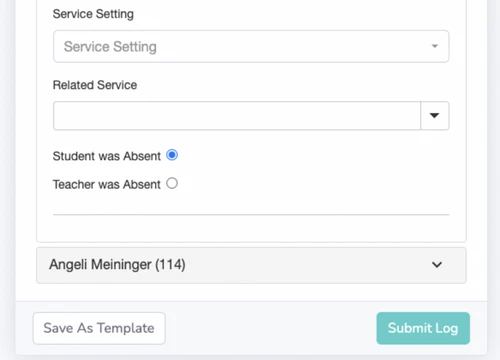
Brolly previously offered a way to record student absences so providers could clearly indicate when services were missed due to a student's non-attendance. Many administrators expressed a need for similar functionality related to teacher or provider absences.
In response, Brolly introduced teacher absence logging. This feature allows users to document when services were missed due to a provider’s absence, ensuring that the reason for missed minutes is accurately captured. As with student absences, this information appears within dashboards and reports to support clearer analysis of service delivery.
New Student and User Management Views
Brolly has also enhanced both the student management and user management dashboard experiences.
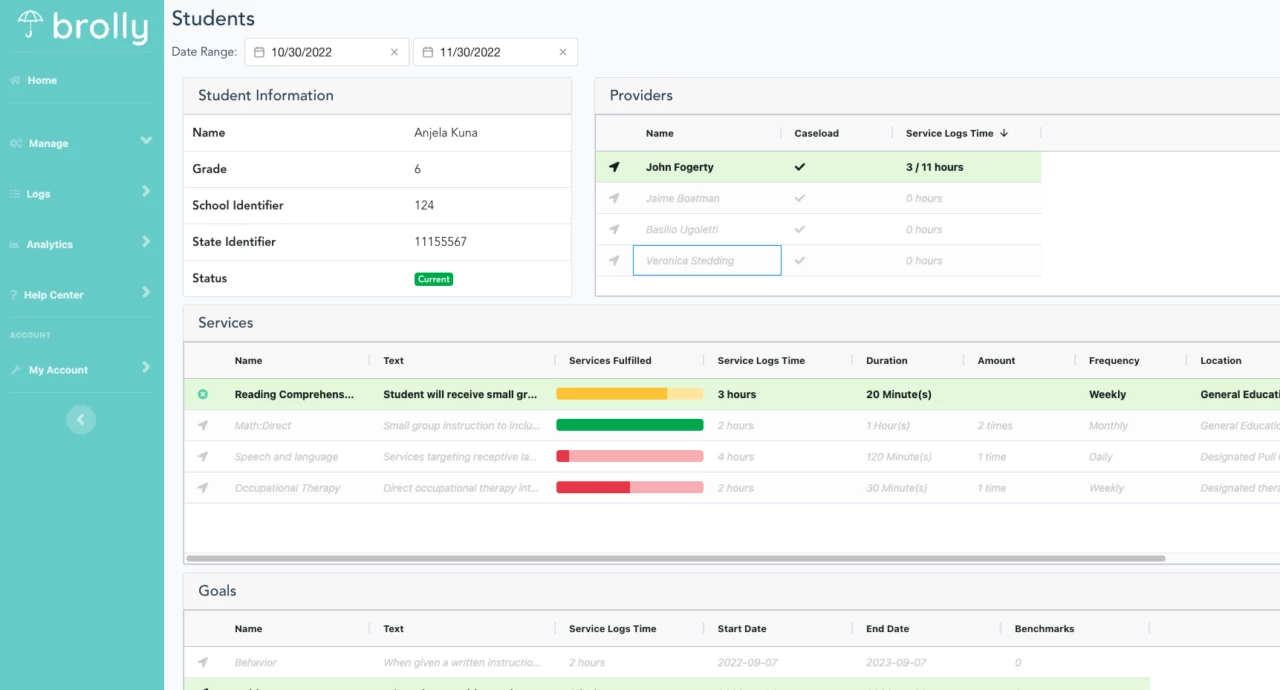
The updated student management page presents a unified overview grid with advanced search capabilities, enabling users to quickly locate students by provider, school, template, and other criteria. From this view, users can drill down into individual student records to find more detailed information such as current goals and services, caseload assignments, provider involvement, logged service time, and progress toward annual goals. These improvements help teams access the information they need with greater ease and clarity.
The screenshot below reflects the Premier version of this student dashboard.
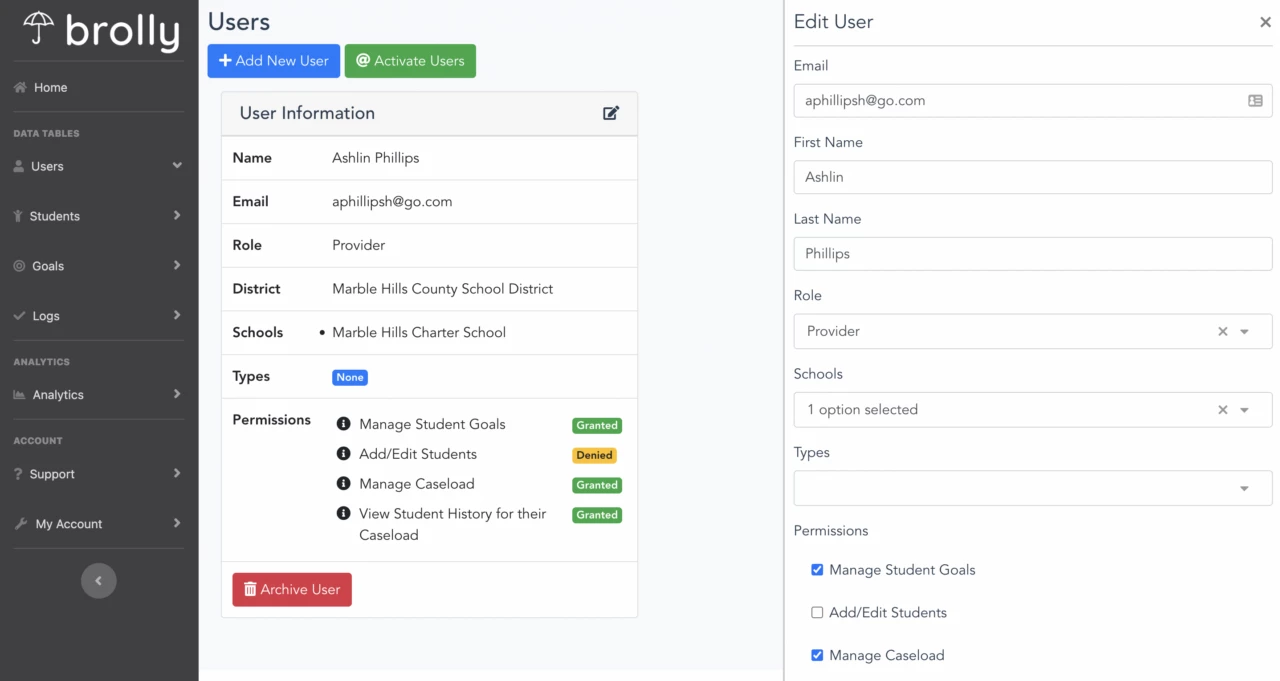
The revised user management page offers administrators a centralized space to add and edit users, manage caseloads, assign or update permissions, and review recent activity such as submitted logs or student interactions. The dashboard also allows administrators to set roles for different user types, providing an efficient way to manage staff access and monitor platform usage.
No-Wifi Logging
Since its inception, the Brolly mobile app has had no-wifi capabilities. If disconnected from the internet while logging on a mobile device, the data encrypts on the device, waits to reconnect to the internet, and then automatically uploads the data.
Now, Brolly’s website offers similar functionality. If a user loses internet connectivity midway through a log, the page automatically saves until connectivity restores. This ensures logs are not lost when the school internet temporarily goes down or when logging remotely with poor connectivity.
Customizable Service Settings
Premier Only
In addition to customizable progress monitoring fields, Brolly’s Premier tier includes the ability to customize service settings. While the platform provides default categories such as co-teaching, pull-out/resource, and self-contained/special education, Premier districts can modify these settings to better align with their internal terminology and service models. This enhancement offers more accurate reporting and a greater sense of ownership over how services are defined within the system.
Custom Logos
Premier Only
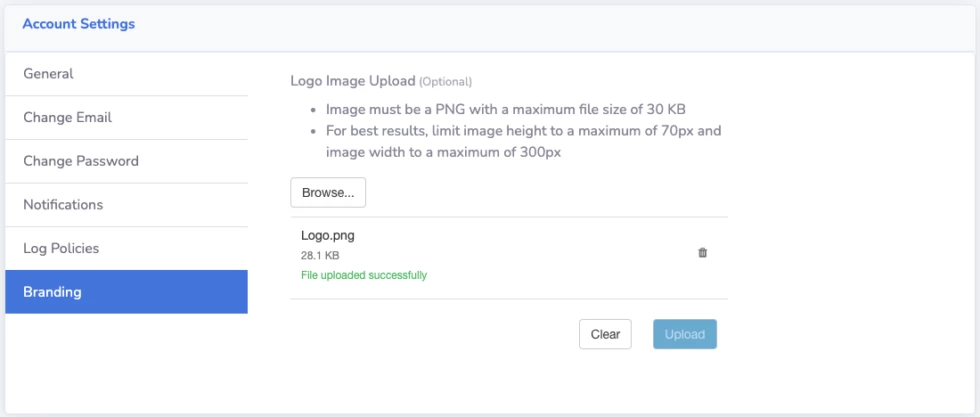
Another Premier functionality available in Brolly is custom logos on reports. Districts can replace the Brolly logo with their district logo for printing and sharing documentation with stakeholders.
Account administrators can set a district-wide logo via their Account Branding settings. If you wish to upgrade to take advantage of this functionality and more, please contact us.
Other Enhancements
Brolly continues to implement infrastructure and feature improvements that support the needs of districts and service providers. Recent work includes strengthening Single Sign-On (SSO) capabilities, improving mobile application stability, and expanding Medicaid service tracking options in select states. These efforts reflect an ongoing commitment to ensuring Brolly remains robust, reliable, and aligned with evolving district requirements.